
Installation
NexCraft has two parts, the same as MCSManager:
- Web (
panel/+frontend/) — the web UI and backend API (default port 23333). - Daemon (
daemon/) — the agent that actually runs your servers on a node (default port 24444).
You can run both on one machine or spread daemons across multiple machines and manage them all from one web panel.
NexCraft is built and deployed from source (it's a personal fork). The recommended path is Docker images built from this repository.
Requirements
- Node.js (latest LTS) — only needed if you build/run without Docker.
- Basic decompression utilities (the daemon unpacks server archives).
- The daemon image ships with Java 21 and provisions additional JRE versions on demand for packs that need them (see Java).
- No database required.
Build the Docker images
From the repository root:
bash
# Daemon image — built from daemon/ + common/
docker build -f dockerfile/daemon.dockerfile -t nexcraft-daemon .

# Web image — built from frontend/ + panel/ + languages/
# (this build also compiles the daemon, since the panel bundles daemon source)
docker build -f dockerfile/web.dockerfile -t nexcraft-web .
Run the containers
Run the daemon (mount persistent data/logs and, if you want Docker-related features, the Docker socket):
bash
docker run -d --name nexcraft-daemon --restart unless-stopped \
  -p 24444:24444 \
  -e MCSM_DOCKER_WORKSPACE_PATH=/path/on/host/daemon/data/InstanceData \
  -v /path/on/host/daemon/data:/opt/mcsmanager/daemon/data \
  -v /path/on/host/daemon/logs:/opt/mcsmanager/daemon/logs \
  nexcraft-daemon
Run the web panel:
bash
docker run -d --name nexcraft-web --restart unless-stopped \
  -p 23333:23333 \
  -v /path/on/host/web/data:/opt/mcsmanager/web/data \
  -v /path/on/host/web/logs:/opt/mcsmanager/web/logs \
  nexcraft-web
First login & connecting a node
- Open
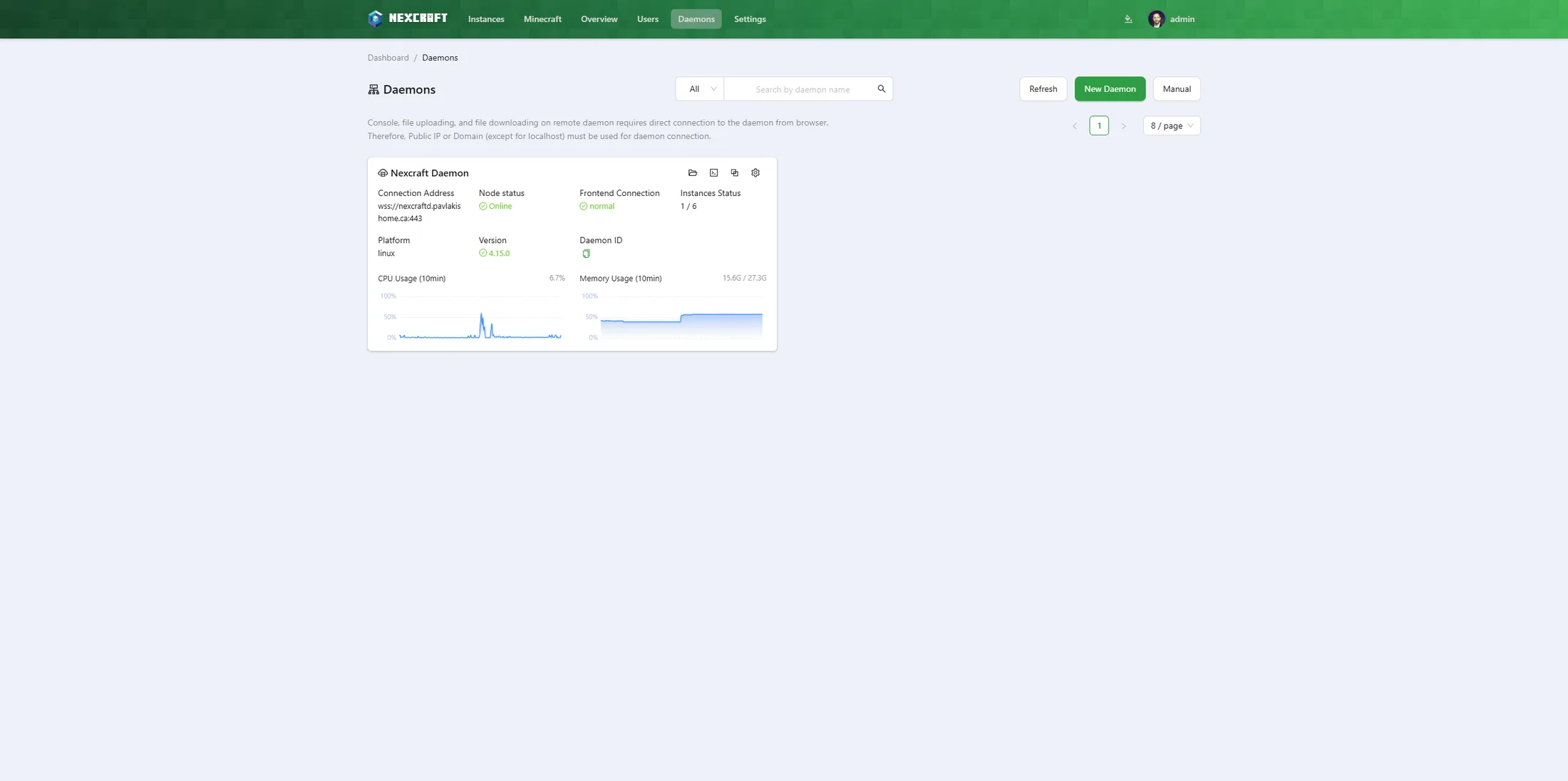
http://<server-ip>:23333/and complete first-time setup. - If the web panel doesn't auto-detect the local daemon, go to Daemons and add a node pointing at the daemon's IP and port (
24444) with its access key. - Once the node shows online, you're ready to create your first server.
Updating
Pull the latest source, rebuild the image(s) that changed, and recreate the containers:
bash
git pull
docker build -f dockerfile/web.dockerfile -t nexcraft-web .      # if web/panel/frontend/languages changed
docker build -f dockerfile/daemon.dockerfile -t nexcraft-daemon . # if daemon/common changed
# then recreate the affected container(s)
The web build also compiles the daemon, so a daemon type error will fail the web build too. After a web rebuild, hard-refresh the browser (Ctrl+F5) to drop cached JS.